

Tech Tip - NotebookLM for Retail: A Practical Guide for Field Leaders

Establishing a foundation of truth through secure, private AI environments.
It is impossible to scroll through LinkedIn, watch a YouTube video, or even glance at the morning news without being hit by a wave of AI headlines. We are constantly hearing about the latest updates to ChatGPT, the new powers of Gemini 3.0, or how Claude is changing the way we process data. It is everywhere, and frankly, it can feel a little bit crazy. For most leaders there is a natural curiosity about these tools, but there is also a very real, very loud question: "How does this actually help me on any given day?".
Whether you are a Store Manager or a District Manager or any other field leader, your world isn't a generic one-size fits all environment. Your stores are different. Your people are different. Your business has specific nuances that a standard AI chatbot doesn't always understand. Plus, there is always the concern for data security. Most of us have been (rightly) told by our companies that we cannot feed sensitive business data, internal emails, or proprietary reports into public AI tools. We don't want our business becoming part of a public training set, and we certainly don't want the AI "hallucinating" facts about how our business is working.
That is where NotebookLM comes in. This is a tool within the Google suite. Currently, there is a very robust free version available, which solves that concern for a retail leader. Unlike a general chatbot, NotebookLM allows you to create your own "self-protected" environment. You provide the sources, and the AI acts as a dedicated partner to help you learn, synthesize, and create based only on that specific information. It is essentially an AI tool that only knows what you tell it to know. And that can be extremely useful.
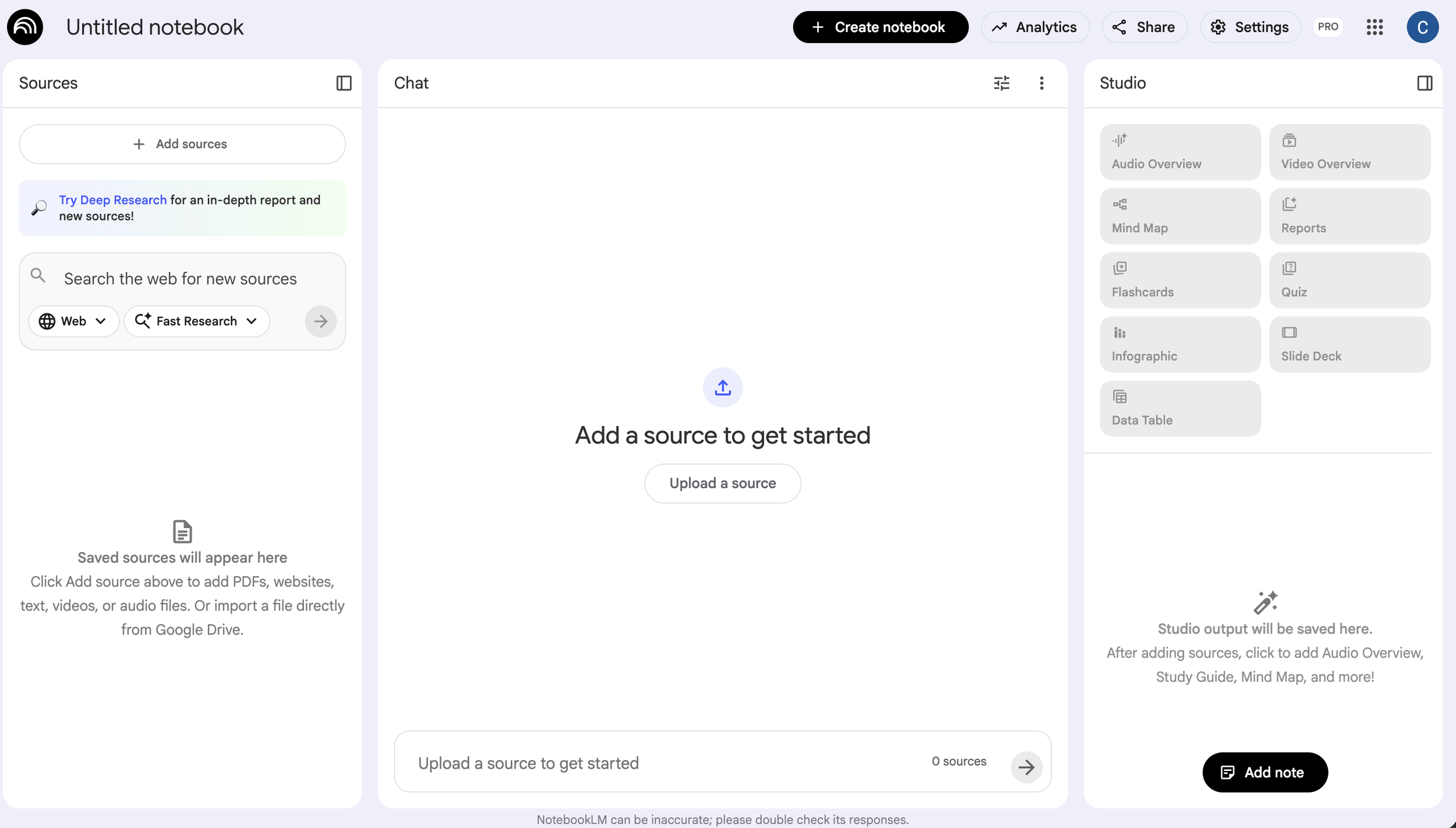
Understanding the Three Pillars of NotebookLM
The beauty of NotebookLM is in its simplicity with powerful features. The layout is broken down into three main sections that correspond to how we naturally work through problems in the field.
1. The Source Area: Your Foundation of Truth
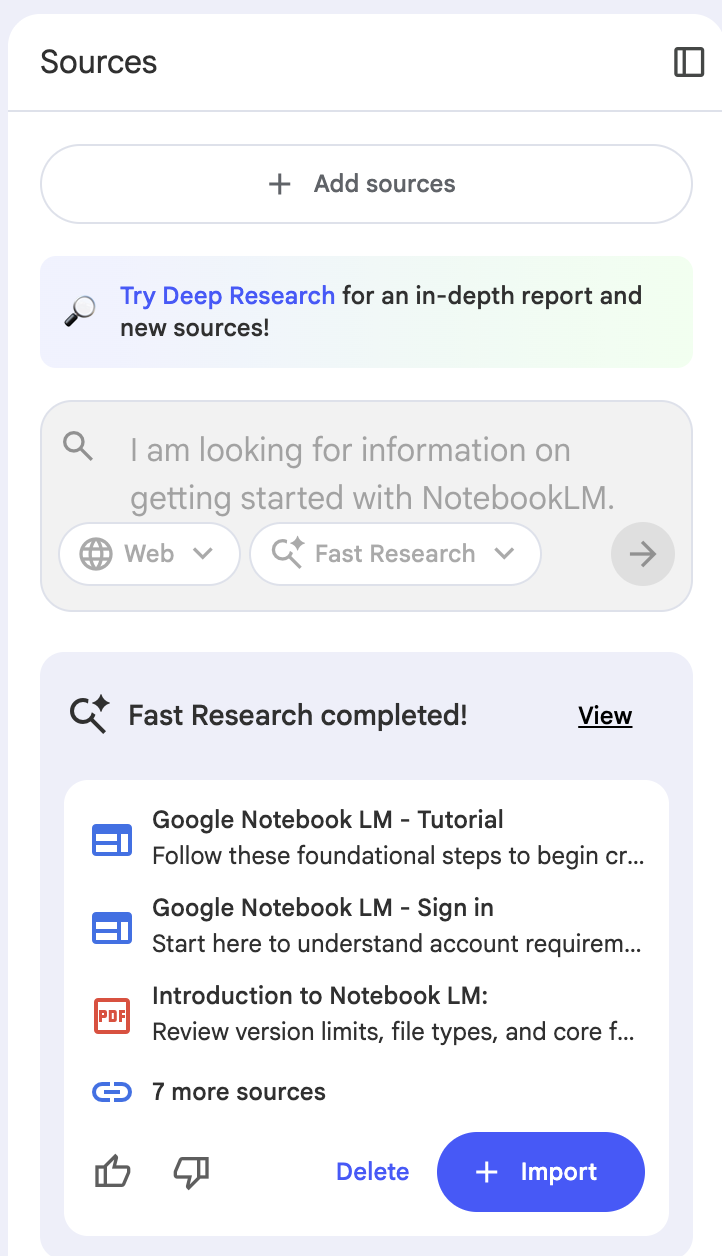
This is where you build your knowledge base. You can upload PDFs, documents, or even convert spreadsheets into Google Sheets to drop them in. This is the area where you provide the "absolute source of truth" for the AI.
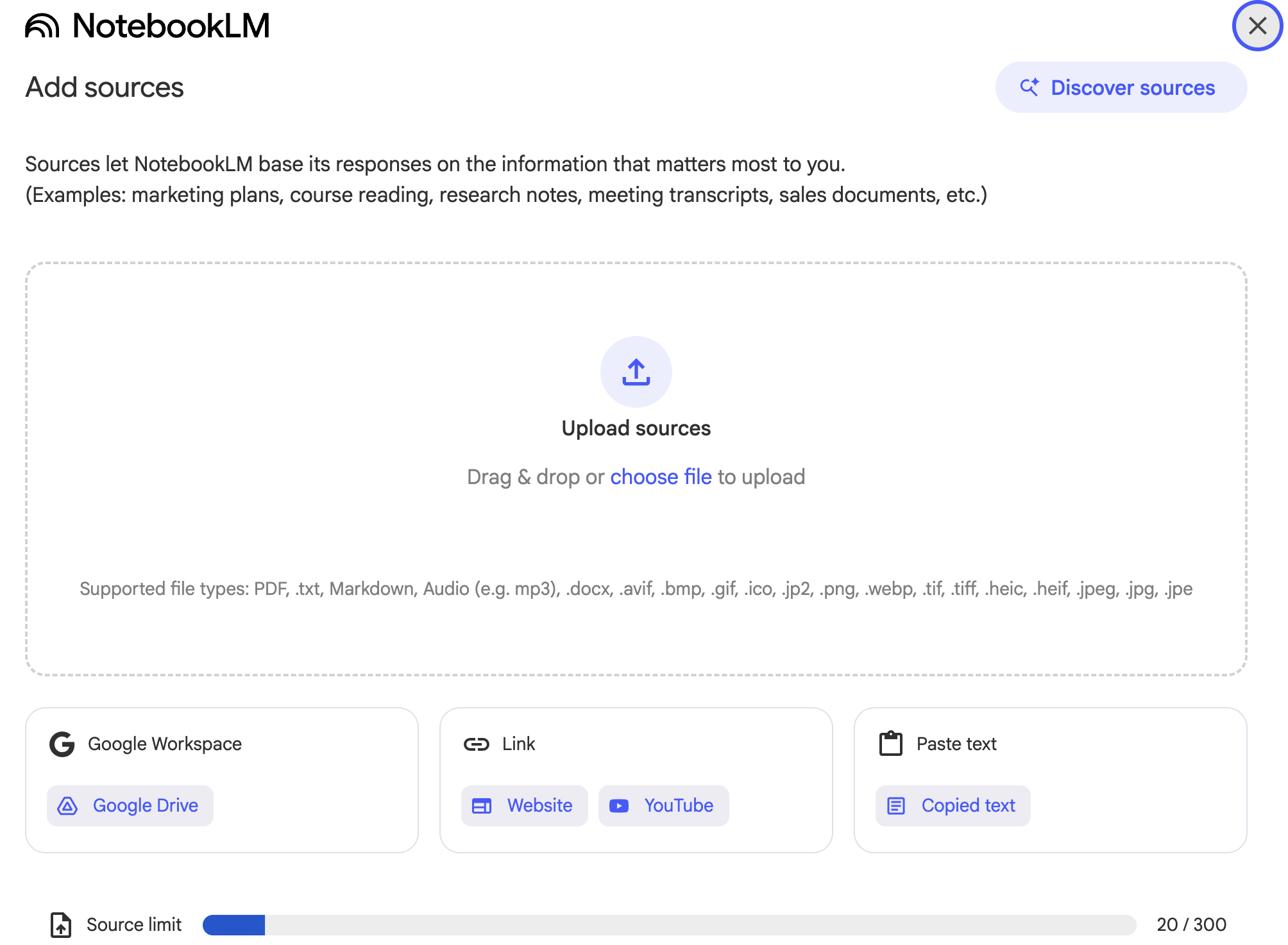
For example, if you are putting together a training session on writing better performance reviews, you can upload your company’s specific guidelines and internal HR documents. You can also have the tool do its own research, pulling in verified articles from the web to supplement your internal materials. This keeps everything in one place, making it a powerful tool for building "quick-hit" training for your team.
2. The Chat Screen: Your Targeted AI Partner
The middle section functions like the chat windows you've seen in other tools, but with a massive difference: it has a limited scope. When you ask a question or enter a prompt here, the AI isn't going back out to the general internet to guess an answer. It is only looking at the sources you provided in the first section.
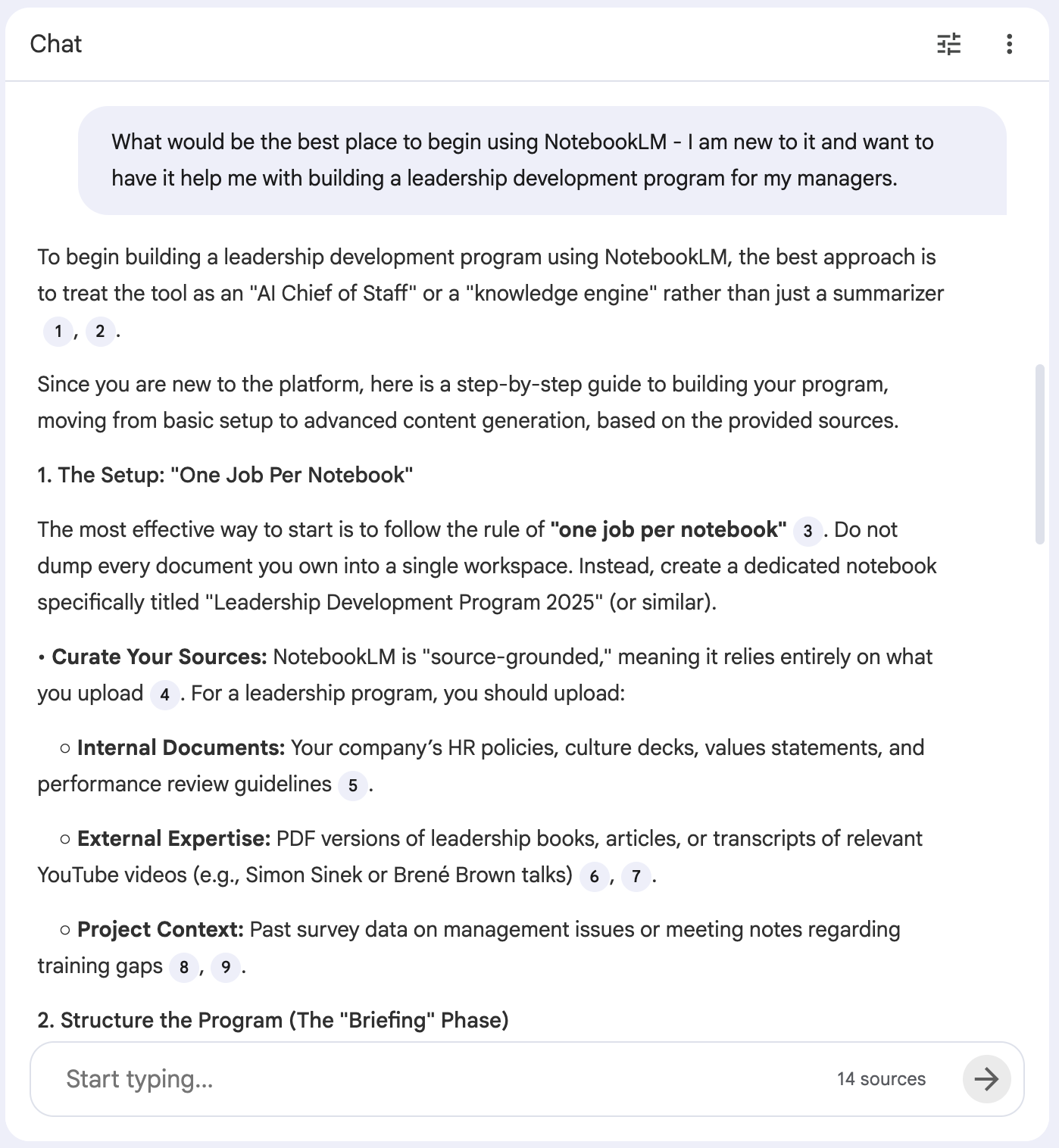
This is great for leaders because it virtually eliminates the risk of "weird things" being made up. You can be confident that the information is accurate because you gave the AI the data yourself. It allows you to stay focused on one subject or one project without the "noise" of a broad spectrum of information. Plus, as you ask questions of your sources, when you get a response, it will provide links and references to the source information. That way you can both verify the information, and learn more (in context) related to what your prompt was about.
3. The Studio: Transforming Insight into Action
The third section is where some of the most exciting stuff happens. You can generate some amazing support tools with what is provided in this section. The Studio area provides tools that can take your sources and conversations and turn them into useful outputs. It can generate data tables, slideshows, mind maps, or even infographics, which are fantastic for visual learners on your team.
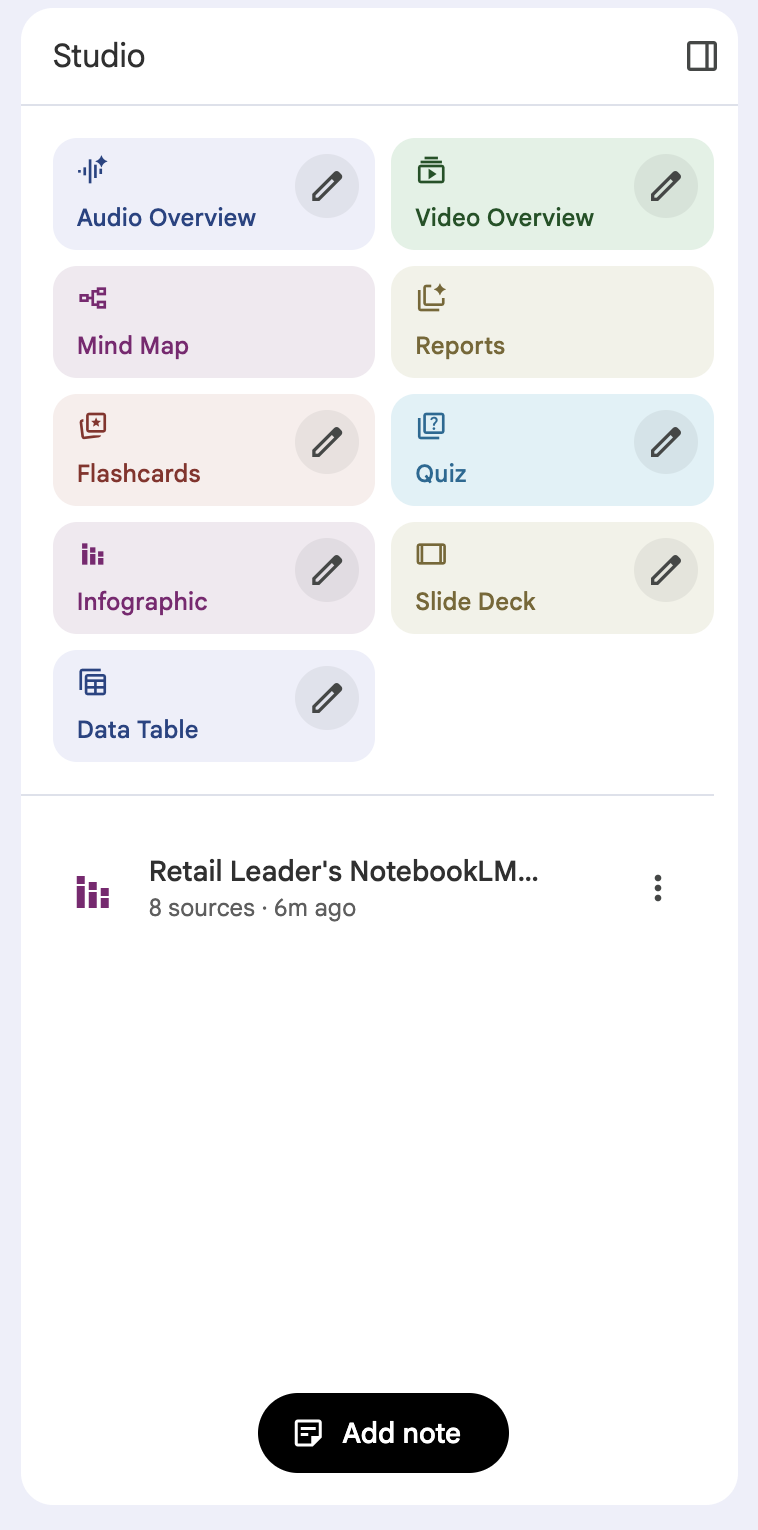
One of the coolest features is the ability to create an "audio podcast." It will take your sources and generate a two-person dialogue summarizing the material. If you are a multi-unit leader, imagine being able to provide your Store Managers with a 5-minute audio overview of a new company initiative that they can listen to while they are doing their morning floor walk. It is also an excellent way for you to be able to digest a lot of information quickly by getting a summarized overview of your selected sources.
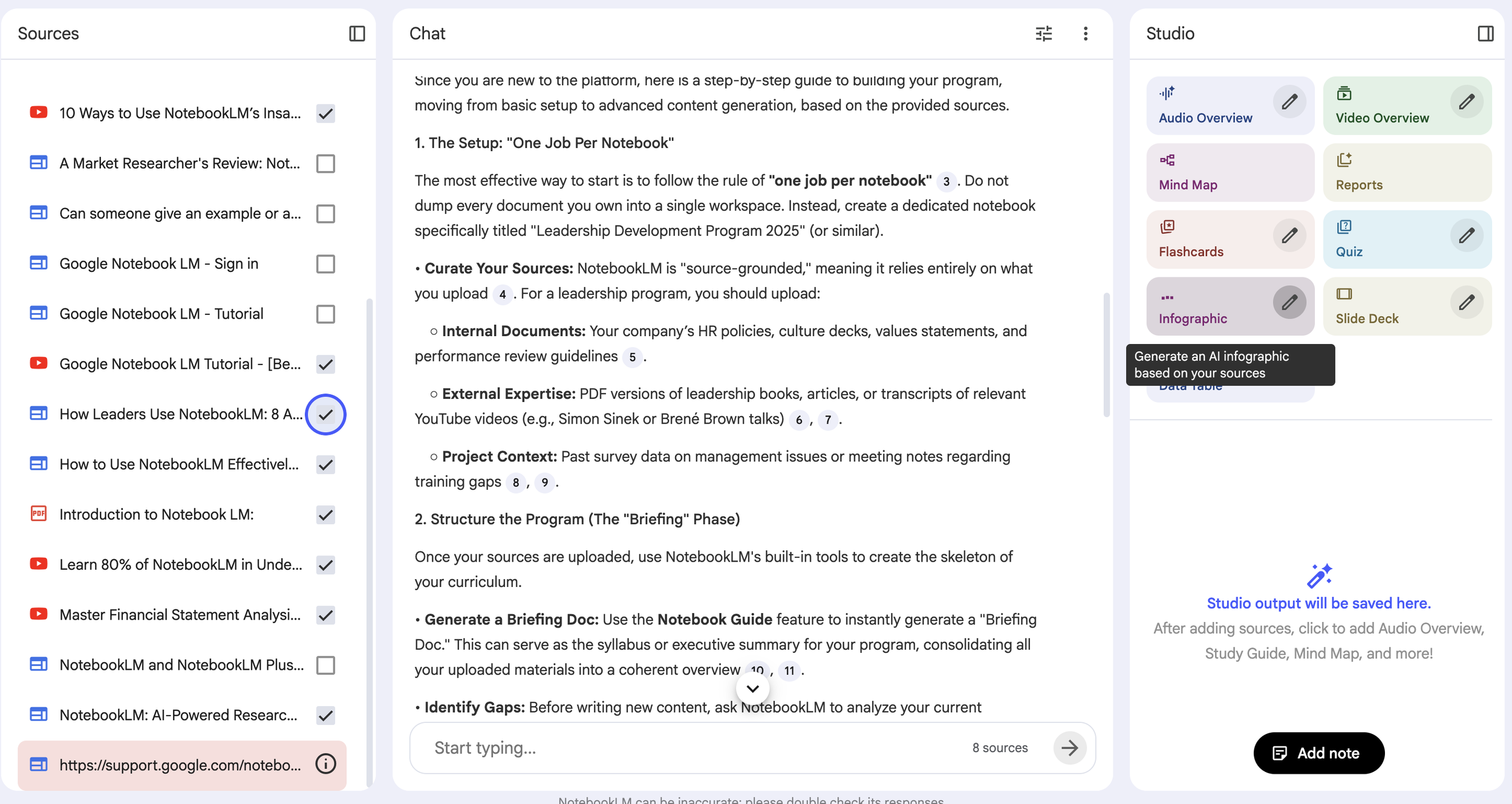
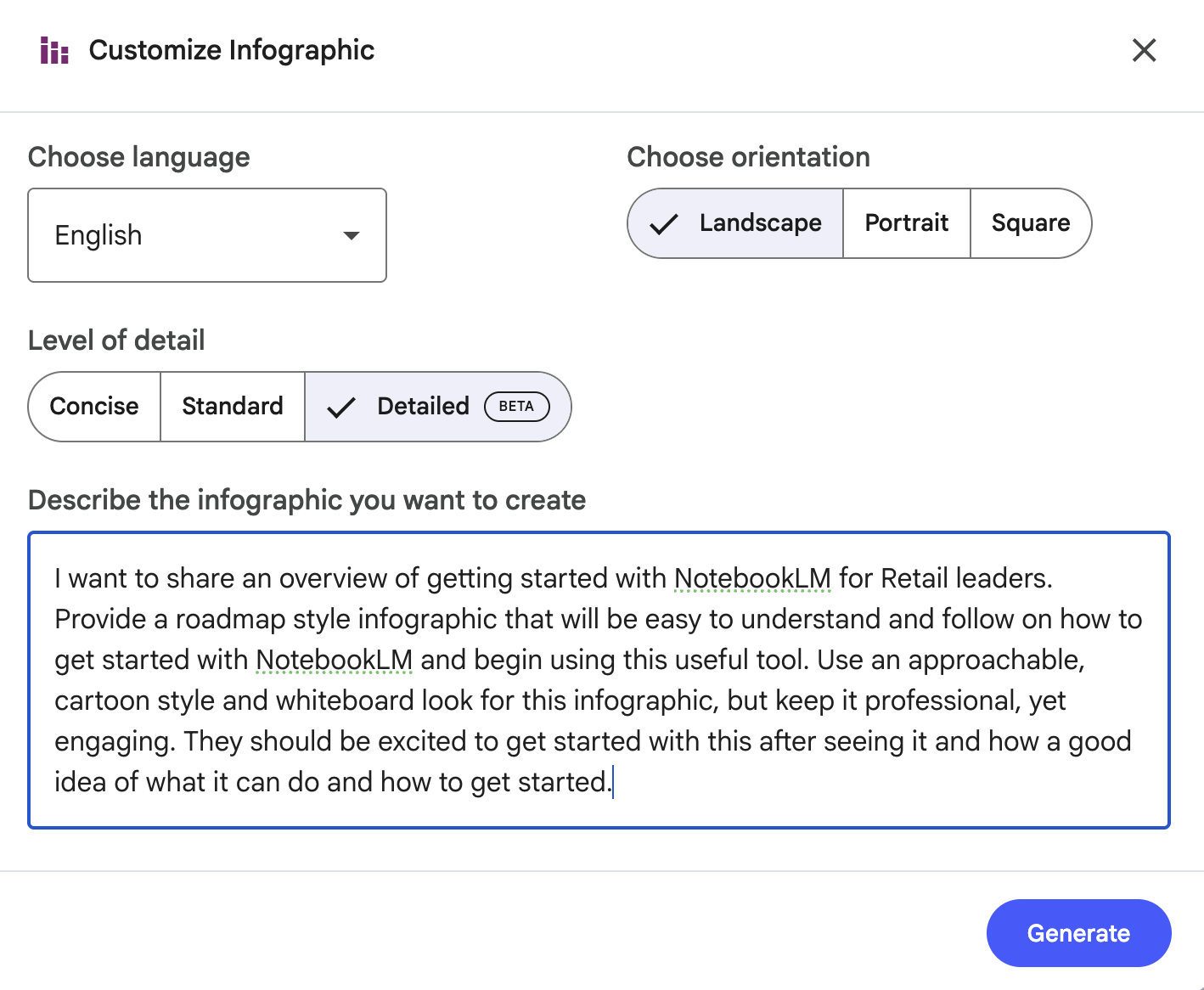
I am also a big fan of the Infographic feature. Below is an example of what it can produce. You can click the button and allow it to generate the infographic without further instruction, or, as with each of the output options, you can select the pencil icon and edit the prompt for creating your studio resource. You can see the prompt I provided: I narrowed down the sources to the most relevant items I was looking for, and then let it work its magic. You can also see the output in the screen shot below. I have also included a link to the actual Infographic at the bottom if you want to review it closer.
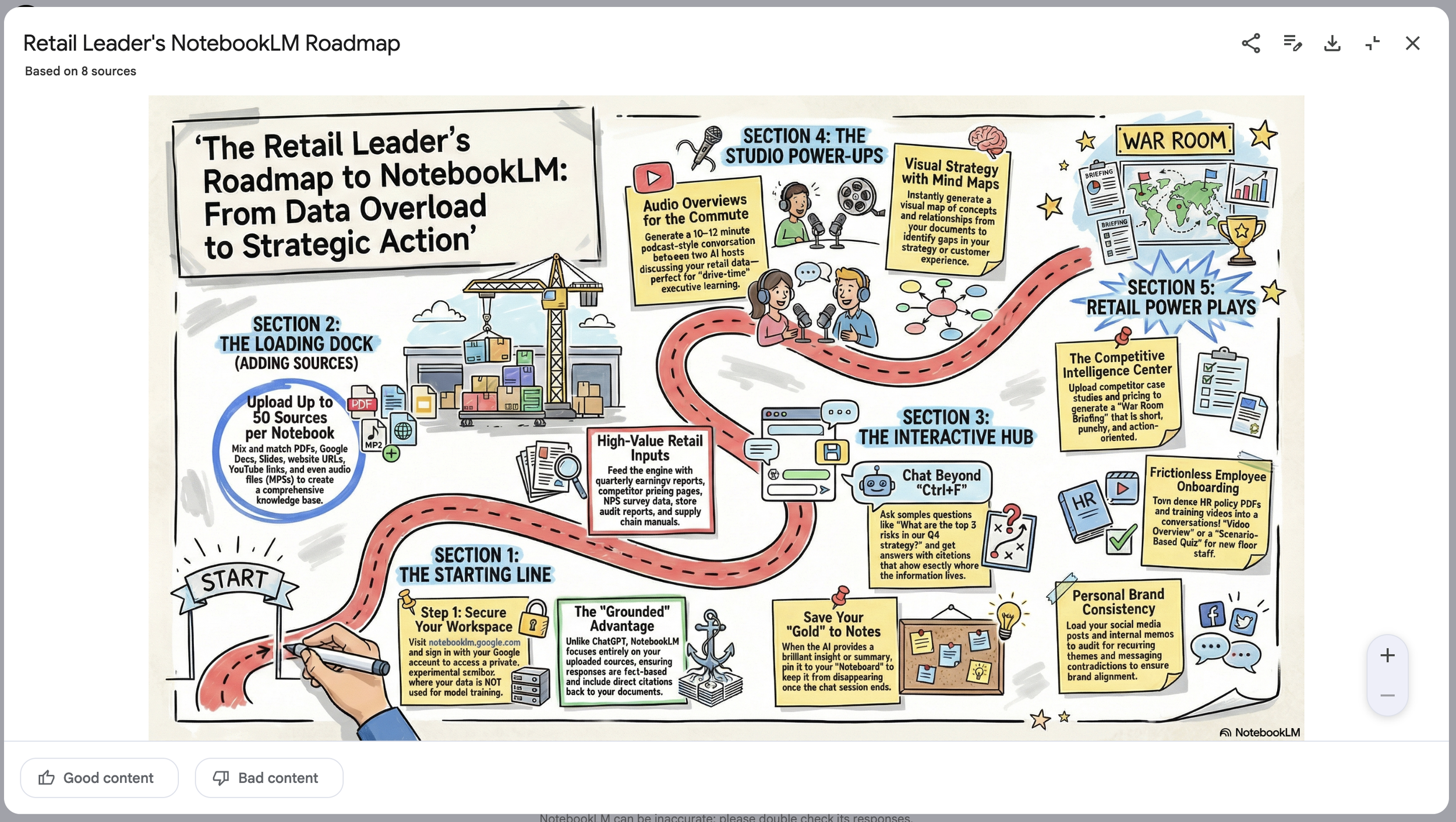
The one limitation that I see with this (which I hope will change in the future) is that once the output is created, you cannot just iterate on it from that point. Unlike working with Google Gemini’s Nano Banana image generation engine where you can tell it to make updates and it only changes what you mention, this updates the entire image again. Hopefully in the future we will get the option to iterate on the output and not have to start from scratch each time.
Practical Applications for the Field
So, how do we use this practically? Here are a few ways to start:
Leadership Development: Take several articles on a topic like "Empathy in Leadership" or "Effective Prioritization" and feed them into a notebook. Use the chat to ask, "What are the three most actionable steps a new Assistant Manager can take from these articles?" Use the output to build your next one-on-one coaching session.
Synthesizing Feedback: If you have a series of customer comments or survey results, you can import them to identify trends without staring at a dashboard for hours. You can ask the tool, "What is the primary frustration for our customers during the checkout process based on these comments?" and get an immediate, data-backed summary.
Streamlining Communication: You can take a long, complex email from corporate and ask NotebookLM to "simplify this into three bullet points for a part-time associate". It helps ensure the message stays clear and the "why" behind the work isn't lost.
A Note on Best Practices
While this tool is incredibly powerful, it is still an AI partner, not a replacement for your leadership. You still need to review the outputs. Make sure the tone matches your voice and that the translations are accurate for your specific store environment.
Also, remember that the quality of the output depends on the quality of the sources. If you want a deep dive into a specific topic, select only the sources relevant to that subject. Otherwise, the tool might try to pull pieces from everything in your notebook, which can dilute the impact.
NotebookLM isn't just another tech headline; it is one of the most practical uses of AI available to us today. It allows you to take a massive amount of information and digest it quickly, which is the ultimate "time management" win for any busy leader. Give it a try with one project this week. Start small, upload a few sources, and see how it can help you get the right things done.
What ideas do you have for how you can put NotebookLM to work for you?
Get leadership tips and new articles you can use directly to your inbox. Join the thousands of other leaders continuing your leadership development journey with **Effective Retail Leader.com.**
DISCLAIMER: I participate in the Amazon Services LLC Associates Program, an affiliate advertising program designed to provide a means for me to earn fees by linking to Amazon.com and affiliated sites. Other links to third-party products and services may also be affiliate links.